
Cardbound
A free card adventure for your phone, tablet, and desktop.
Free to play. No download. No account.
Play CardboundOpens in your browser, so you can play right away. Cardbound is a test game: Chapter 1 is still an experiment, and the characters, story, cards, and world may change.
How to Play
How Cardbound works
You pick up a strange glowing card and wake up in Elda, a world where all magic comes from cards. To get home, collect all 15 Elda cards, hold them at the same time, and leave through the Town Gate. Everything is played with taps and clicks. Open each section below for a step-by-step guide.
Start your adventure
-
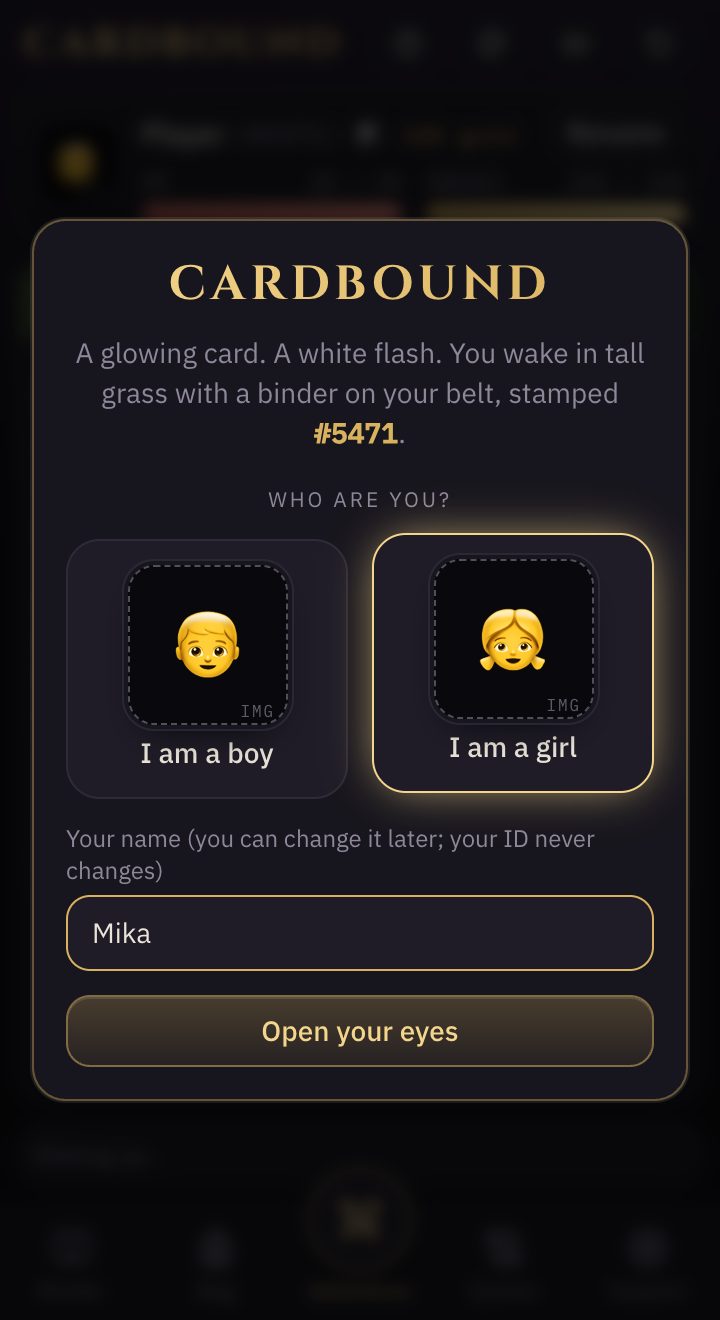
1. Tap "Play Cardbound". Choose boy or girl, type a name, then tap "Open your eyes". Your binder gets a player number, like #5471. Your name can change later; your number never does.
-
2. On a phone, the tabs at the bottom switch between Adventure, Binder, Bag, Quests, and Support. A gold dot means something new is waiting there. On a computer, the binder and the other tabs sit beside the adventure.
Explore Elda
-
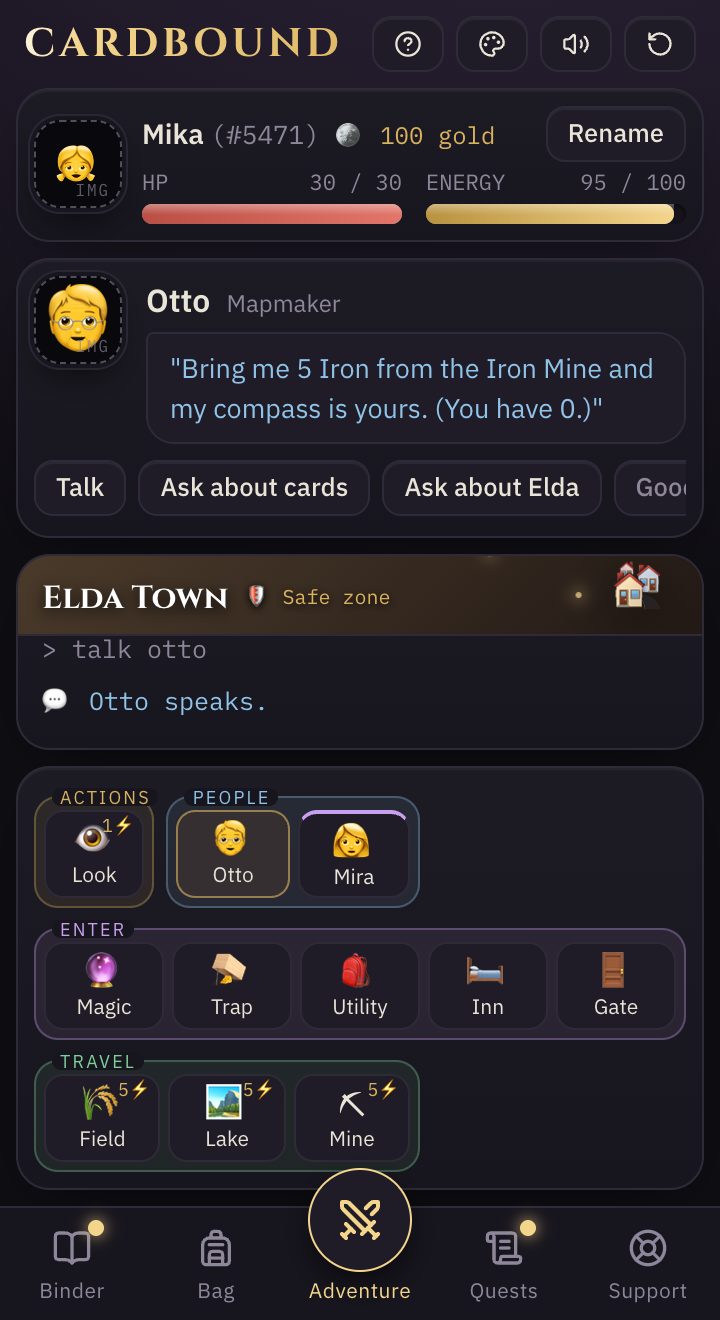
1. At the top: your HP, energy, and gold. Below it, whoever is in front of you, the place you are in, and the adventure log. At the bottom, everything you can do here, grouped into Actions, People, Enter, and Travel.
-
2. Almost everything costs energy (the small ⚡ number on each tile). When you run low, rest on the ground in the wild, eat something, or sleep at the inn for 30 gold.
-
3. Elda Town is safe: no fights and no stealing. The wild is not. Dark places need a light, and some monsters only come out when you search or mine.
Talk to people
-
1. Tap a person, like Otto, to talk. Choose a topic under their words: Talk, Ask about cards, and more. Ask again and they say something new.
-
2. People hand out quests. Open the Quests tab to see what they asked for and how far you are.
-
3. You will also meet practice rivals (computer players for now), shown with their number, like Kai (#0417). Tap one to see their profile and challenge them to a duel outside town.
Cards and battle
Every card has two uses: one in the world and one in battle. Using a card spends one copy, so keep a spare of the cards you rely on.
Your binder
-
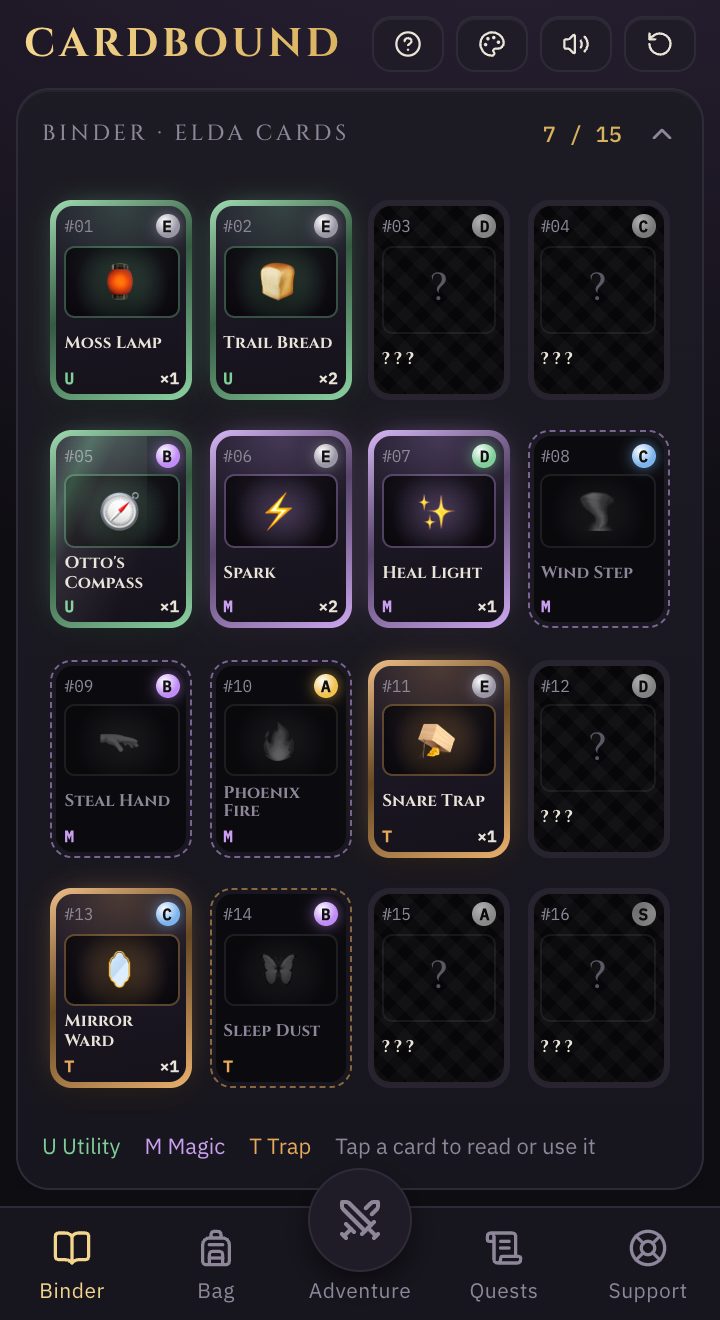
1. The Binder holds the 15 Elda cards. Cards you have not found yet show only their number and rank. Tap any card to read both of its uses and where to find it.
-
2. Find cards by searching, mining, fishing, beating monsters, buying them in the three card shops, and finishing quests.
Fights
-
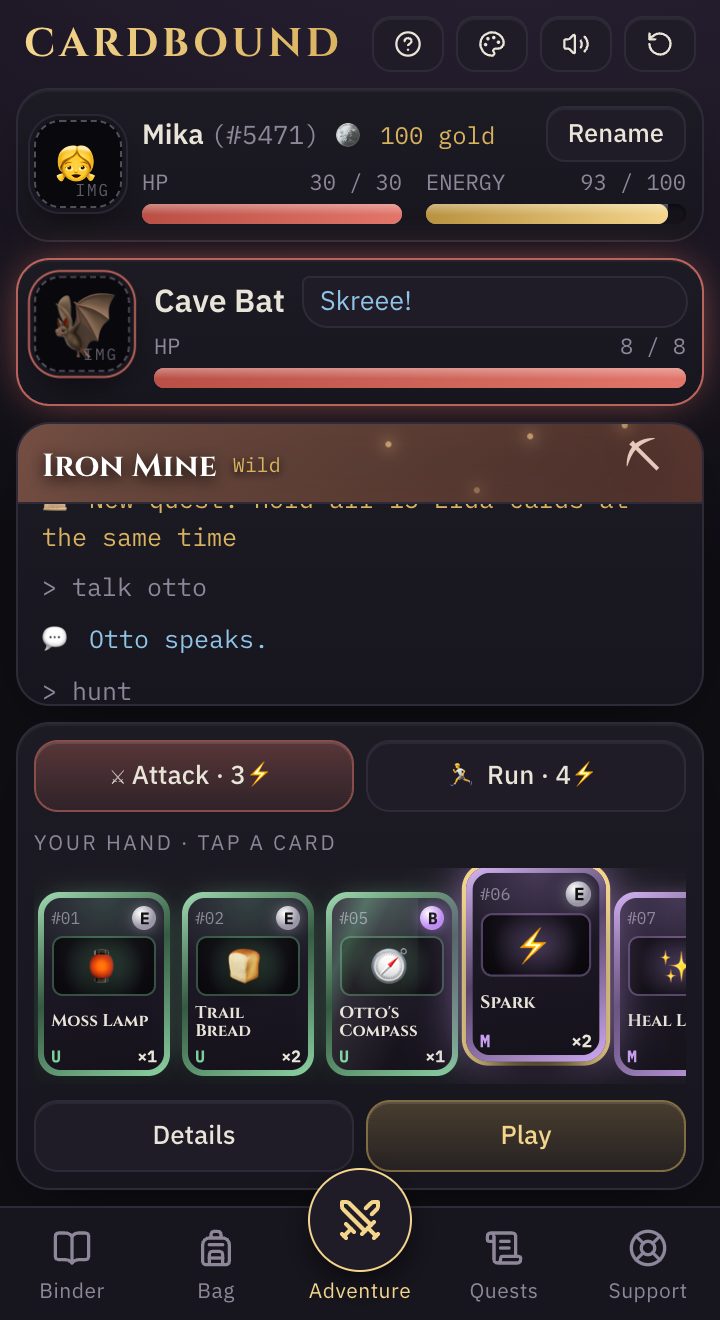
1. A monster's box has a red frame. Tap Attack, Run, or a card from your hand.
-
2. Tap a card in your hand, then Details to read it or Play to use it right away.
-
3. If your HP drops to zero, you wake up at the inn and lose half your gold. Plan ahead: traps and wards work best when set before the fight.
Leave through the gate
-
1. Hold all 15 Elda cards at the same time and talk to Captain Ivo at the Town Gate. He gives you the Gate Pass.
-
2. Use the Gate Pass at the gate to finish Chapter 1. A star appears beside your name, and you can keep playing.
Add to your home screen (Chrome)
Cardbound plays in your browser, so there is nothing to install. Adding it to your home screen gives it its own icon, so it opens like an app.
- Open Cardbound in Chrome.
- Tap the three-dot menu in the upper-right corner.
- Tap "Add to Home screen", then "Add".
- Open Cardbound from the new icon on your home screen.
Add to your Home Screen (Safari)
On iPhone and iPad, adding Cardbound to your Home Screen also protects your save: Safari may delete a website's data after about 7 days without a visit, but a Home Screen icon keeps its own save.
- Open Cardbound in Safari.
- Tap the Share button (or the three-dot icon, then "Share").
- Tap "Add to Home Screen", then "Add".
- From now on, always play from the Home Screen icon. It keeps its own save, separate from Safari.
Using a different browser (Chrome, Edge, Firefox)? Tap Share and look for "Add to Home Screen". The steps are the same.
Your save
Your game saves by itself after every move. While Cardbound is being tested, it saves only in the browser you play in.
Where your game is saved
- Your game lives in this browser on this device. It does not move to another phone or computer.
- Clearing this site's data in your browser settings deletes it.
- Private or incognito windows forget your game when you close them.
- On iPhone and iPad, play from the Home Screen icon (see the iOS tab) so Safari does not clear it.
Note: Cardbound is a test game. Chapter 1 is still an experiment, so cards, places, and rules may change, and a big update could ask you to start a new game.
Feedback and support
Found a bug, or have an idea? Email us at support@sftkit.com. The same address is in the game, under Support.